AdminEase – All-in-One Admin Toolkit: Security & Performance
Free WordPress plugin by PrecisionWP
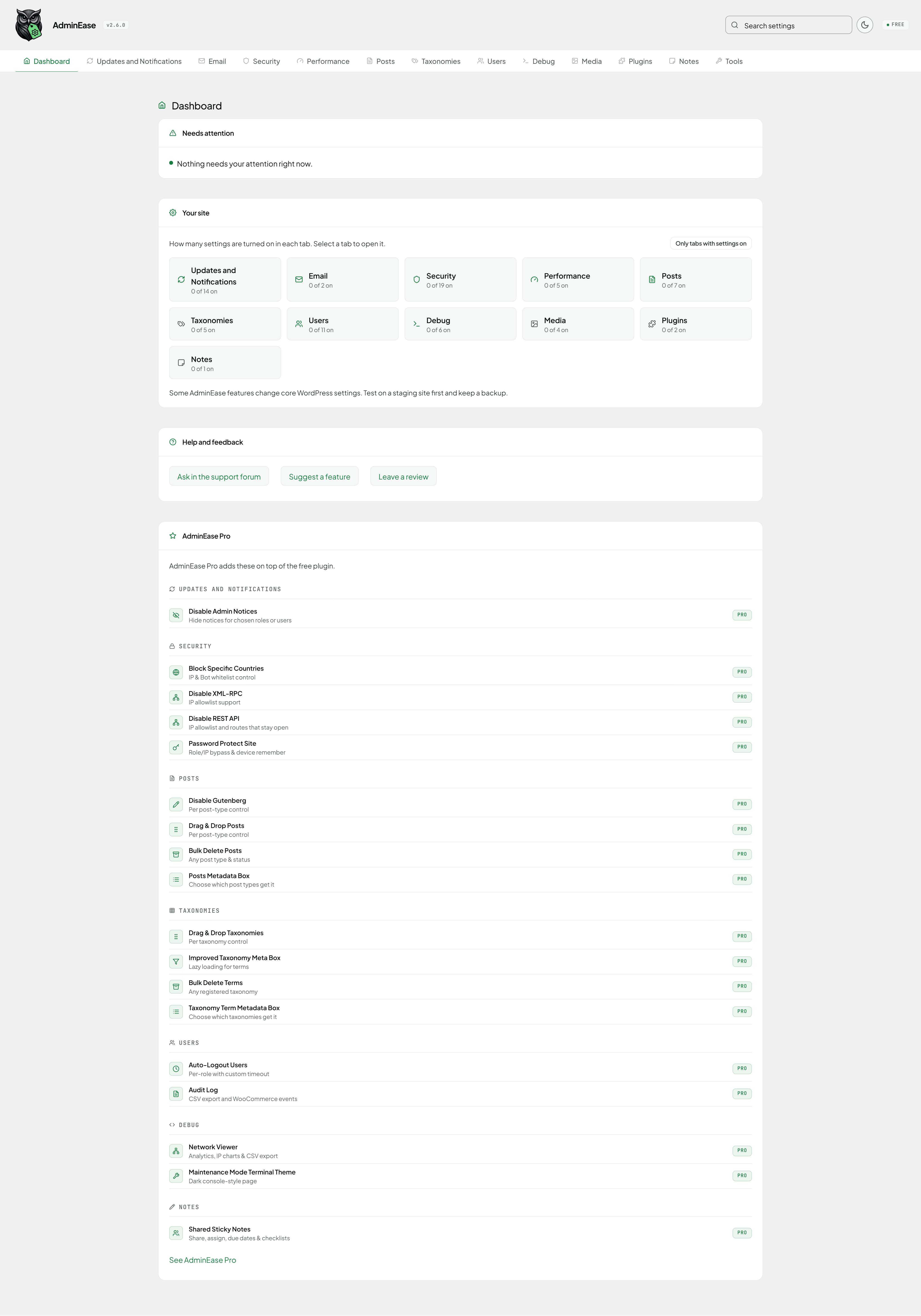
AdminEase gives you all-in-one WordPress admin tools to manage updates, apply WordPress hardening, improve performance and streamline site maintenance without code. AdminEase makes everyday site mana…
About AdminEase
AdminEase 2.8.1 is a free WordPress plugin by PrecisionWP. It is rated 5 out of 5 from 4 ratings and is active on 50 WordPress sites. The latest version is 2.8.1, last updated on 19 Nov 2026. You can download it free from WordPress.org — no account or payment needed.
AdminEase gives you all-in-one WordPress admin tools to manage updates, apply WordPress hardening, improve performance and streamline site maintenance without code. AdminEase makes everyday site management faster, safer, and easier from a clean, user friendly dashboard. It brings admin cleanup and site enhancements together in one plugin.
Is your WordPress admin slow? AdminEase fixes the most common causes and locks down security without touching code.
- Fixes the slowdowns: Tackles low memory limits, database bloat, and WP-Cron overload, the most common causes of a sluggish admin.
- Locks down security: Harden your site against common attacks with a click: disable XML-RPC, hide the WordPress version, block author scans and more.
- Maintenance mode built in: Close the site to visitors while you work, and keep the admin area open.
- One dashboard, 60+ settings: Toggle features on or off anytime, with nothing to break if you change your mind.
Key Benefits
- No Coding Required: User-friendly interface for all skill levels
- Enhanced Security: Protect your site from common vulnerabilities
- Better Performance: Optimize WordPress for speed and efficiency
- Admin Cleanup: Hide admin notices from plugins and themes and clean database bloat
- Complete Control: Toggle features on/off anytime without risk
- Time Saver: Manage dozens of settings from one dashboard
- Right to Left Ready: Full RTL support
Features
Updates and Notifications
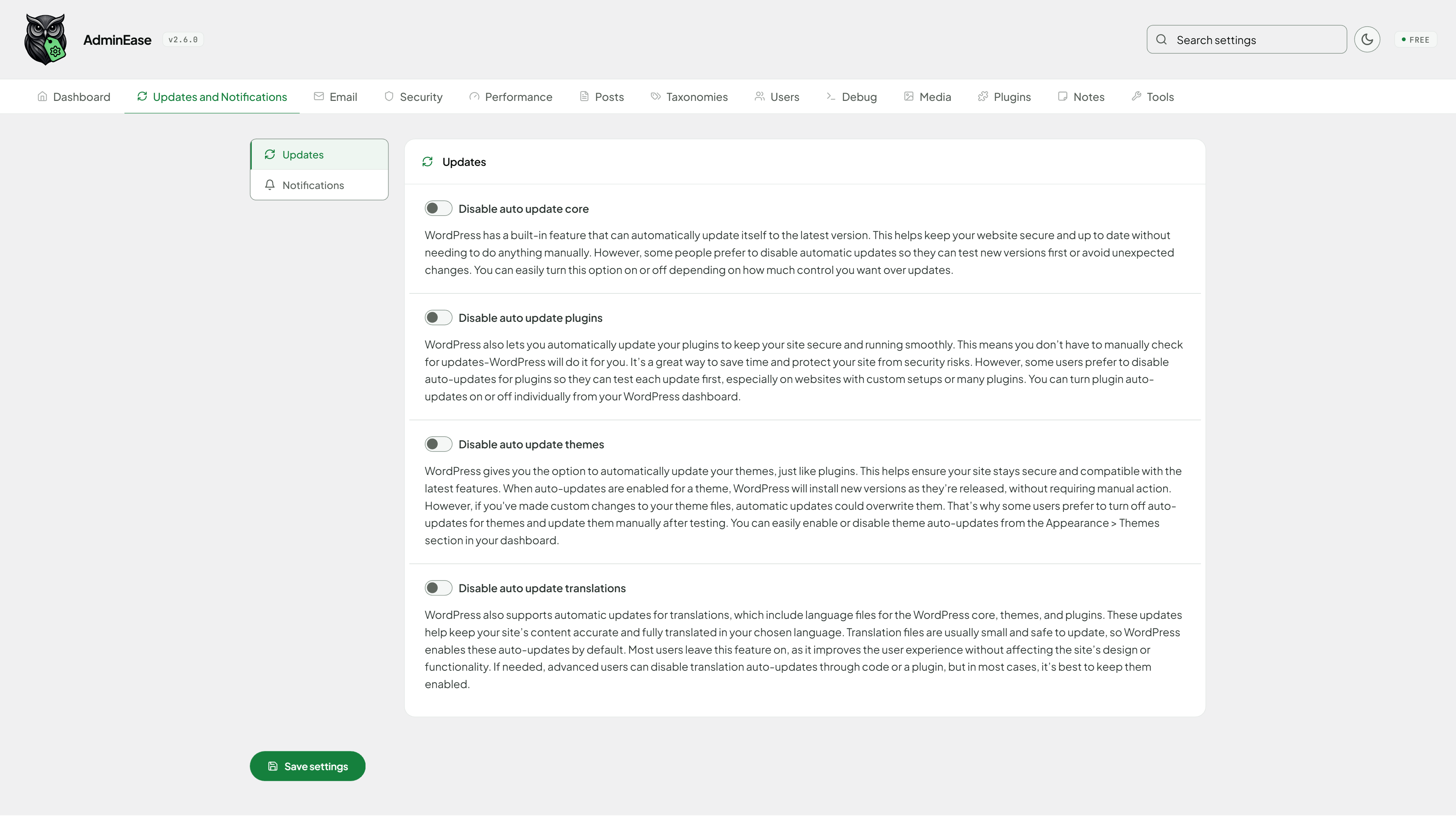
- Auto Update Core: Enable/disable automatic WordPress core updates.
- Auto Update Plugins: Enable/disable automatic plugin updates.
- Auto Update Themes: Enable/disable automatic theme updates.
- Auto Update Translations: Enable/disable automatic translation updates.
- Update Notification Emails: Receive emails when core, themes, or plugins are auto-updated.
- New User Admin Notification Email: Notify admin on a new user registration.
- User Password Change Admin Notification Email: Notify admin when a user changes their password. Turning it off stops only the admin email, unless you also choose to stop the emails sent to the user.
- Comment Admin Notification Email: Notify admin on new comments.
- Disable Admin Notices: Hide admin notices from plugins and themes.
- Disable recovery mode email notification: Prevent WordPress from sending recovery mode emails.
- Customize recovery mode recipient email: Set a custom email address to receive recovery mode notifications.
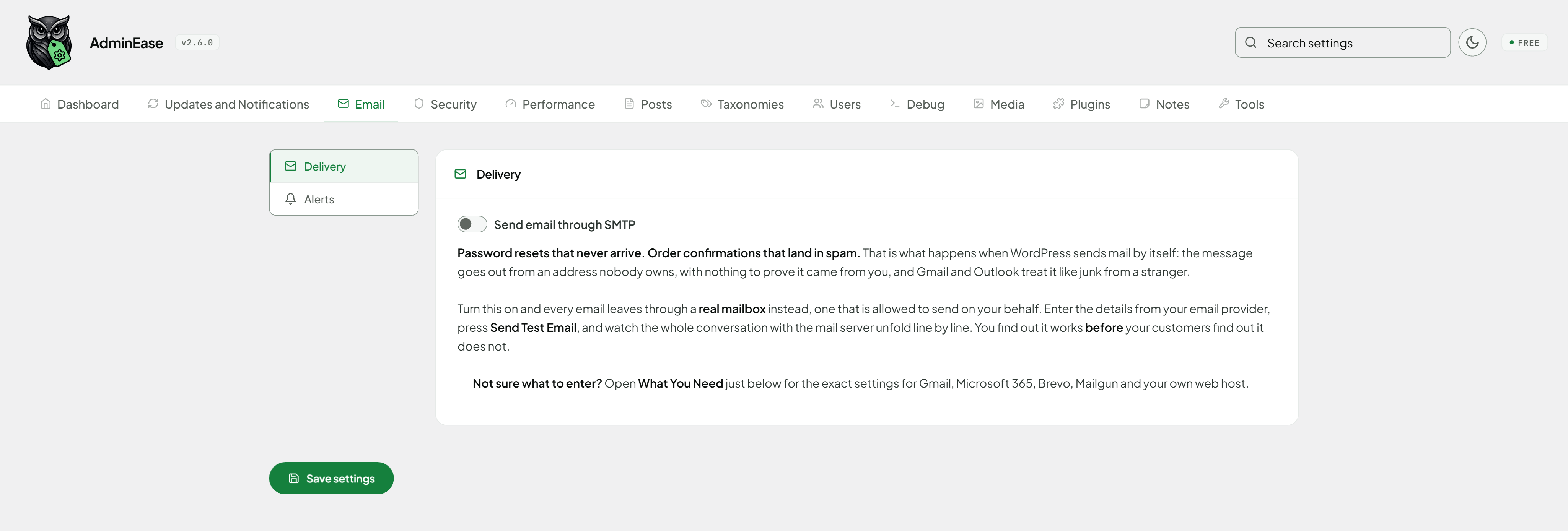
- Send Email Through SMTP: Send your site’s email through a real mailbox instead of the web server, so password resets, order confirmations, and contact form messages reach the inbox instead of spam. Includes a test button that reports exactly what your mail server said.
Security
- Disable File Edit: Prevent editing theme/plugin files from the admin panel.
- Custom Login URL: Move the login page from /wp-login.php to an address you choose, so password guessing bots find nothing.
- Disable File Mods: Prevent all file modifications in WordPress, including installing, updating, and deleting plugins and themes.
- Disable XML-RPC: Block XML-RPC access to reduce attack surface, with an IP allowlist in AdminEase Pro.
- Disable REST API: Block REST API access, with a list of REST routes that stay reachable and the user roles that keep access (an IP allowlist is in AdminEase Pro), plus the option to allow all HTTP requests to wordpress.org, including plugin/theme updates, version checks, and other API communications.
- Disable Embeds: Stop automatic embedding of external content.
- Hide WordPress Version: Remove version info from source code and feeds.
- Password Protect Site: Protect your entire website with a password, featuring customizable themes, role-based bypasses, IP whitelisting, device remembering, and auto-disable scheduling.
- Block Access to .htaccess/.htpasswd: Protect sensitive server files.
- Disable Pingbacks: Prevent XML-RPC pingback abuse.
- Block Author Scans: Prevent username enumeration.
- Block Directory Browsing: Stop public directory listing.
- Disable Script Concatenation (Admin): Prevent certain DoS attacks in admin.
- Block Specific Countries (GeoIP): Restrict site access by country.
- Block Specific Bots: Control which bots can access your site
- CORS Headers: Enable Cross-Origin Resource Sharing and list the sites allowed to access your site’s resources. Works on Apache and, through PHP, on Nginx.
- Hide PHP Version: Remove X-Powered-By header to hide PHP version information from headers.
- Security Headers: Send X-Content-Type-Options, X-Frame-Options and Referrer-Policy on the front end and login page, with an optional HSTS header for HTTPS sites.
Performance
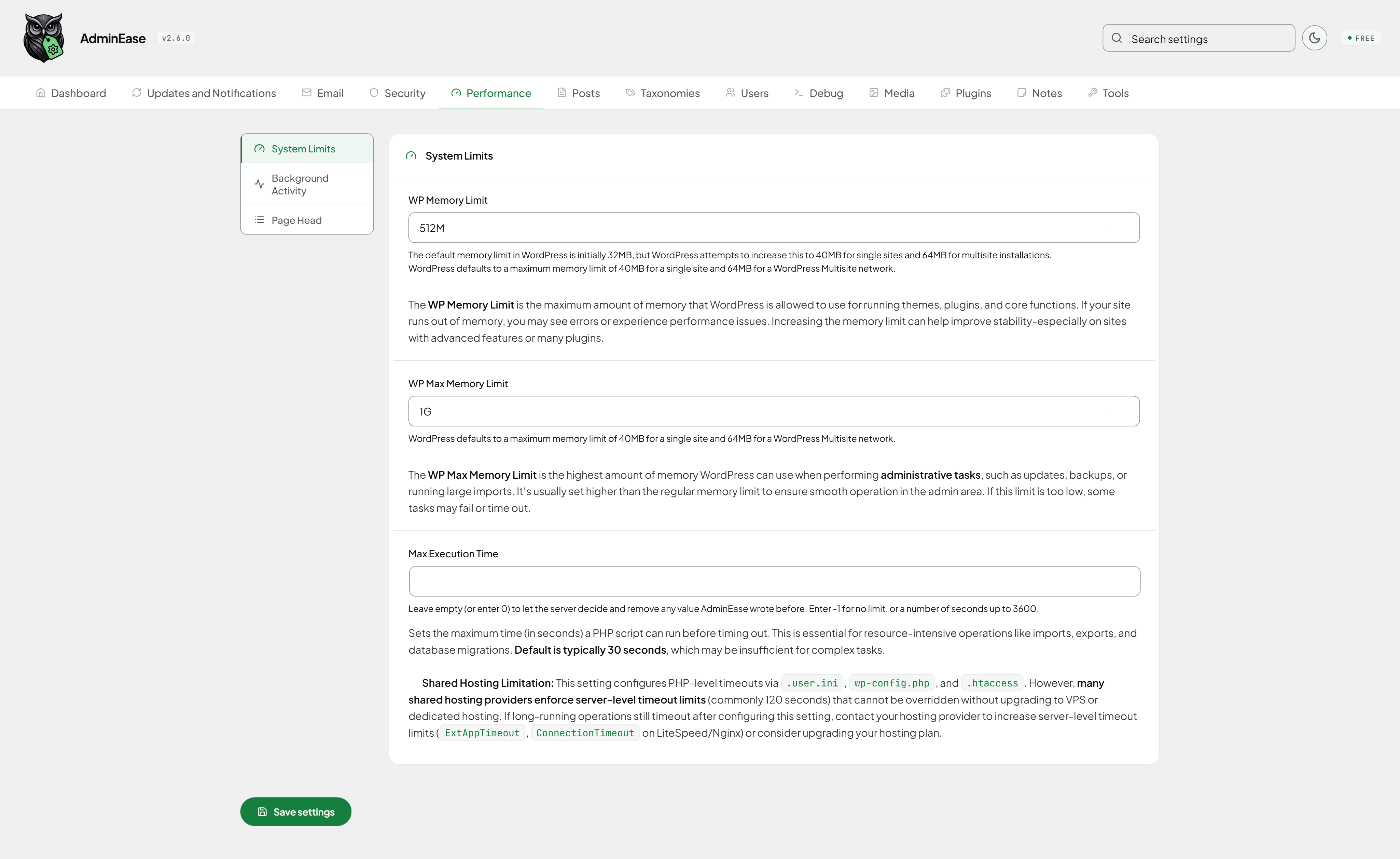
- Memory & Execution Limits: Raise your site’s memory and PHP execution time limits to stop “out of memory” and timeout errors.
- Autosave Interval: Customize how often WordPress auto-saves your work.
- Reliable Cron: Replace WP-Cron with a real server cron job, so scheduled tasks run on time instead of waiting on site traffic.
- Disable Emojis: Stop loading emoji scripts and styles you don’t need.
- Heartbeat Control: Stop the background admin polling that runs every 15 to 60 seconds for every logged-in user, or just slow it down (each of the dashboard, the post editor and the front end can be turned off or slowed down to as much as every 300 seconds), while keeping autosave and post locking in the editor.
Posts
- Empty Trash Days: Set the number of days to keep deleted posts in trash.
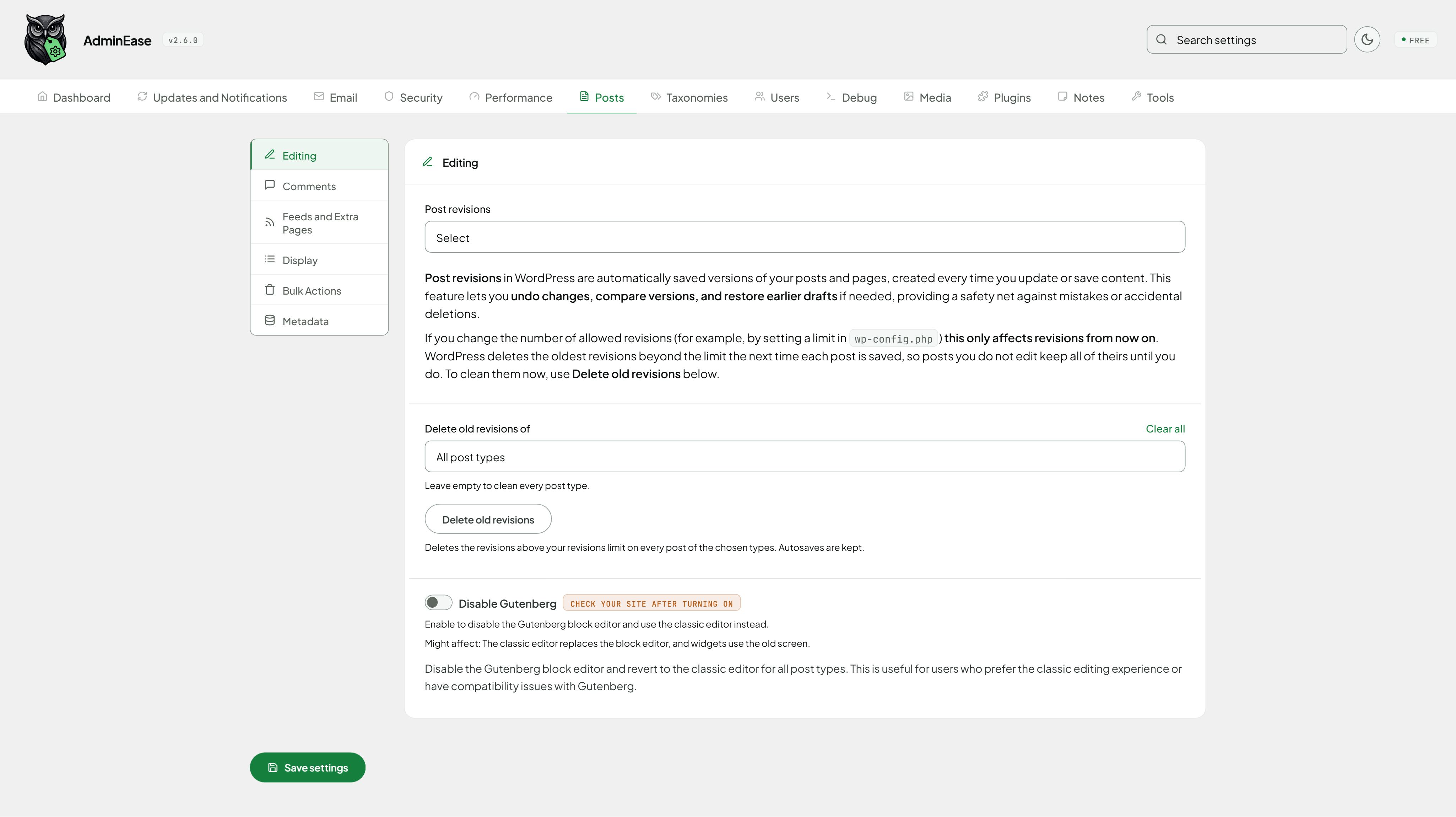
- Post Revisions: Limit or disable post revisions to save database space.
- Database Cleanup: See what can be cleaned with a count for each (expired transients, old auto-drafts, trash, spam comments, embed caches, orphaned meta), tick what to delete, and optimize the tables. Shows the database size before and after.
- Disable Gutenberg Editor: Disable the block editor and revert to the classic editor.
- Drag and Drop Ordering Posts: Rearrange posts via drag-and-drop.
- Duplicate Posts and Pages: Copy a post, page or custom post type as a draft with one click, including custom fields, ACF and page builder data, featured image and terms.
- Disable Comments: Disable comments site-wide with a single toggle.
- Bulk Delete Posts: Delete posts in bulk from the admin panel.
- Comment Form Control: Remove the Website field, the “Save my name” box and other lines from the comment form, and change its title, button label and note.
- Posts Metadata Box: Adds a meta box to posts for easy management of custom fields.
Taxonomies
- Drag and Drop Ordering Taxonomies: Rearrange taxonomies via drag-and-drop.
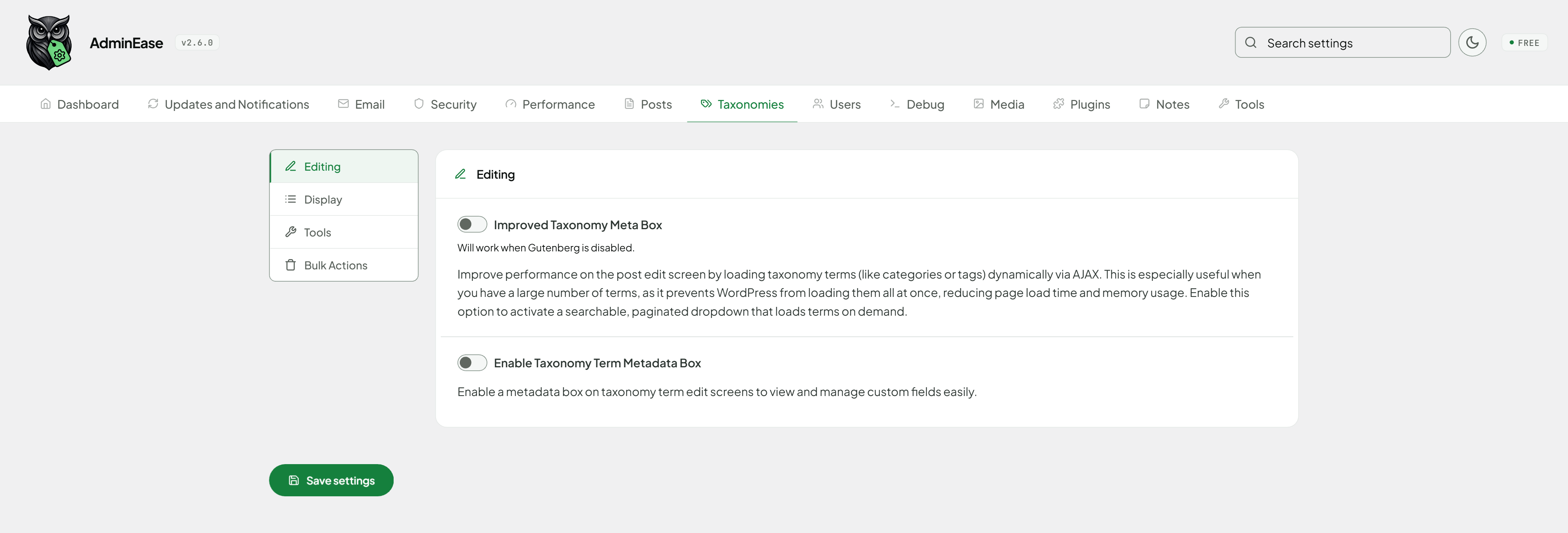
- Improved Taxonomy Meta Box: Enable lazy loading for taxonomy terms to improve performance.
- Taxonomy Switcher: Switch taxonomy terms between taxonomies in a single click.
- Taxonomy Term Metadata Box: Adds a meta box to taxonomy terms for easy management of custom fields.
- Bulk Delete Terms: Delete taxonomy terms in bulk from the admin panel, with an optional filter for empty terms only or a name search, and an option to delete child terms along with their parent.
Users
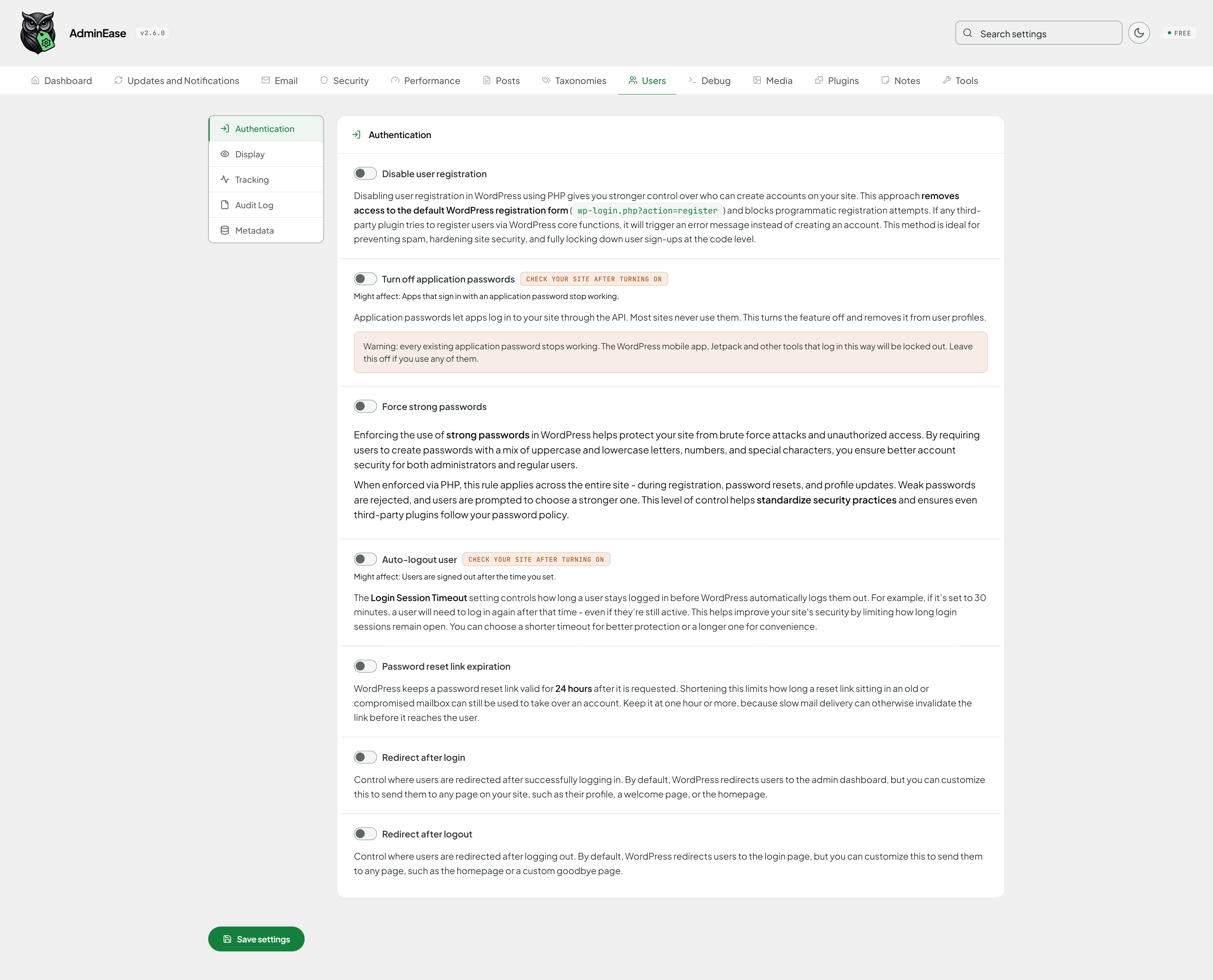
- Disable User Registration: Block all new user registrations from the public register form. Administrators can still add users in wp-admin and through the REST API.
- Force Strong Passwords: Enforce password complexity rules (length, case, numbers, symbols).
- Auto-Logout User: Auto-logout users after inactivity (customizable per role and time).
- Hide Admin Bar: Hide the admin bar for specific users.
- Redirect After Login/Logout: Customize where users go after logging in or out
- Users Metadata Box: Adds a meta box to users for easy management of custom fields.
- Last Login Tracking: Tracks when users log in, displays the information in the users table, and shows it on their profile pages.
- Audit Log: See who changed settings, users, plugins, themes and posts, plus every login, failed login and logout with its IP address.
Debug
- WP Debug: Enable WordPress debug mode.
- WP Debug Log: Log errors to a file. On Apache and LiteSpeed the debug.log address is blocked for visitors. On Nginx the Dashboard reminds you to block it.
- WP Debug Display: Show/hide errors on the site.
- Debug Log Viewer: View the debug log directly from the admin panel.
- Maintenance Mode: Prevent all users from accessing the site but not the admin area. Can also close the REST API (/wp-json/) to visitors and ask search engines not to crawl the site while it is on. Editors and administrators still see the live site.
- Network Viewer: See every incoming request to your site in real time to spot suspicious activity and traffic spikes. Passwords, tokens and other secrets in the request are hidden before they are stored.
- Email Log: Every email your site sends, logged with recipient, subject, and delivery status, so you can debug missing emails and SMTP problems. Fix a failed email and send it again from the log.
- Cron Viewer: See every scheduled task, find orphaned jobs left behind by deleted plugins, and run, pause, or resume any job on demand. On WooCommerce stores you also see the Scheduled Actions, and can run or cancel the ones still waiting.
- Outgoing HTTP Request Log: See every call your site makes to an outside server, with the destination, the response code, how long it took and which plugin or theme started it, so you can find what is really slowing the site down. Passwords and API keys are hidden as ***.
Media
- Upload Max File Size: Set maximum upload file size.
- Allow SVG Uploads: Enable SVG file uploads with security checks.
- Allow Custom File Extension Uploads: Enable additional file types beyond WordPress defaults. Add your own as one extension and MIME type per line, such as
flac audio/flac. - Media Infinite Scrolling: Enable infinite scrolling for the media library.
- Clean Upload File Names: Save new uploads with lowercase names without accents, spaces or odd characters.
- Disable Big Image Threshold: Disable the threshold for displaying large images in the media library.
- Disable Generated Image Sizes: Choose which of the image sizes registered by your theme and plugins WordPress should stop creating on upload, so a single image no longer fills the uploads folder with copies you never use.
Plugins
- Display Active Plugins First: Reorders the Plugins list to show active plugins at the top, separated from inactive plugins by a visual divider.
- Enable Plugin Download: Adds a Download link to each plugin row, allowing admins to download any installed plugin as a .zip file directly from the admin panel. Requires PHP ZipArchive extension.
Notes
- Sticky Notes: Leave post-it notes anywhere in the admin. A note stays on the screen you wrote it on and drops a marker you can drag wherever you like. One panel holds the lot: the notes on the screen you are on, or every note in the site with a link back to where each one belongs, plus a search box. Notes are marked as done rather than deleted, and they are never removed when the plugin is uninstalled. Free notes are personal and administrators only. Sharing notes with your team, assigning them to a person, due dates and reminders, checklists, attaching a note to a specific post, product or order, and letting other roles write notes are available in AdminEase Pro.
Tools
- Export / Import Settings: Save all your AdminEase settings to a file you can keep as a backup, and load it back on this site or on another one.
- AI Assistant Abilities: On WordPress 6.9 and later, AI assistants connected to your site (for example through an MCP connector) can list the terms of any taxonomy, such as categories, tags or product categories, and the site’s user roles. Read only, and only for administrators.
Important Disclaimer
This plugin modifies core WordPress functionality and behaviors. While we strive to maintain compatibility and stability:
- The plugin’s features may work differently or not at all depending on your server configuration, hosting environment, and installed plugins
- Some features may be restricted on certain hosting providers or server setups
- We strongly recommend testing the plugin in a staging environment before using it on a production site
- Always maintain regular backups of your website before making any changes
Server Compatibility Notice
Different server configurations may affect the plugin’s functionality:
- Shared hosting environments might have restrictions that prevent certain features from working
- Some features may require specific PHP extensions or server modules
- Server-level email configurations might affect notification control features
Nginx and other servers that do not read .htaccess
Several features are normally delivered as .htaccess rules, which Apache and LiteSpeed (in Apache-compatibility mode) read, but Nginx, LiteSpeed in native mode, and IIS do not.
On those servers AdminEase automatically enforces the following in PHP instead, so they work the same way with nothing to configure:
- Disable XML-RPC
- Block Specific Countries
- Block Specific Bots
The settings screen tells you which method is in use on your server. Features that change PHP or WordPress configuration rather than blocking requests (memory limit, upload size, file-editor lockdown, and similar) are unaffected either way.
The same applies to the backup copies AdminEase keeps of your wp-config.php and .htaccess files. They are stored in a folder with a long random name, which keeps them out of reach on every server, instead of relying on a rule file that only some servers read.
Block Specific Countries additionally need a geolocation source: either Cloudflare in front of your site or the GeoIP module on the server. If neither is available, the feature reports itself as unsupported rather than appearing to work.
If you experience any issues, please check with your hosting provider about server limitations.
Questions about AdminEase
Is AdminEase free?
Yes. AdminEase is free to download and use from the official WordPress.org directory. There is no payment and no account needed — the download on this page goes straight to WordPress.org.
What is the latest version of AdminEase?
The latest version is 2.8.1, last updated on 19 Nov 2026.
How popular is AdminEase?
It is rated 5 out of 5 from 4 ratings and is active on 50 WordPress sites.
How do I install AdminEase?
From your WordPress dashboard, go to Plugins → Add New, search for AdminEase, then Install and Activate. You can also download the ZIP from WordPress.org and upload it under Plugins → Add New → Upload Plugin.
Where do I download AdminEase?
Directly from WordPress.org. The Download button on this page goes straight to the official WordPress.org download, and GPLWPClub does not store the file.
Screenshots