LLMark – Markdown for AI Agents & LLMs
Free WordPress plugin by Fábio Nunes
LLMark gives AI agents a clean Markdown version of your WordPress content, so assistants like ChatGPT, Claude and Perplexity (and crawlers like GPTBot and ClaudeBot) read what you mean instead of you…
About LLMark
LLMark 1.0.1 is a free WordPress plugin by Fábio Nunes. It is active on 40 WordPress sites. The latest version is 1.0.1, last updated on 20 Nov 2026. You can download it free from WordPress.org — no account or payment needed.
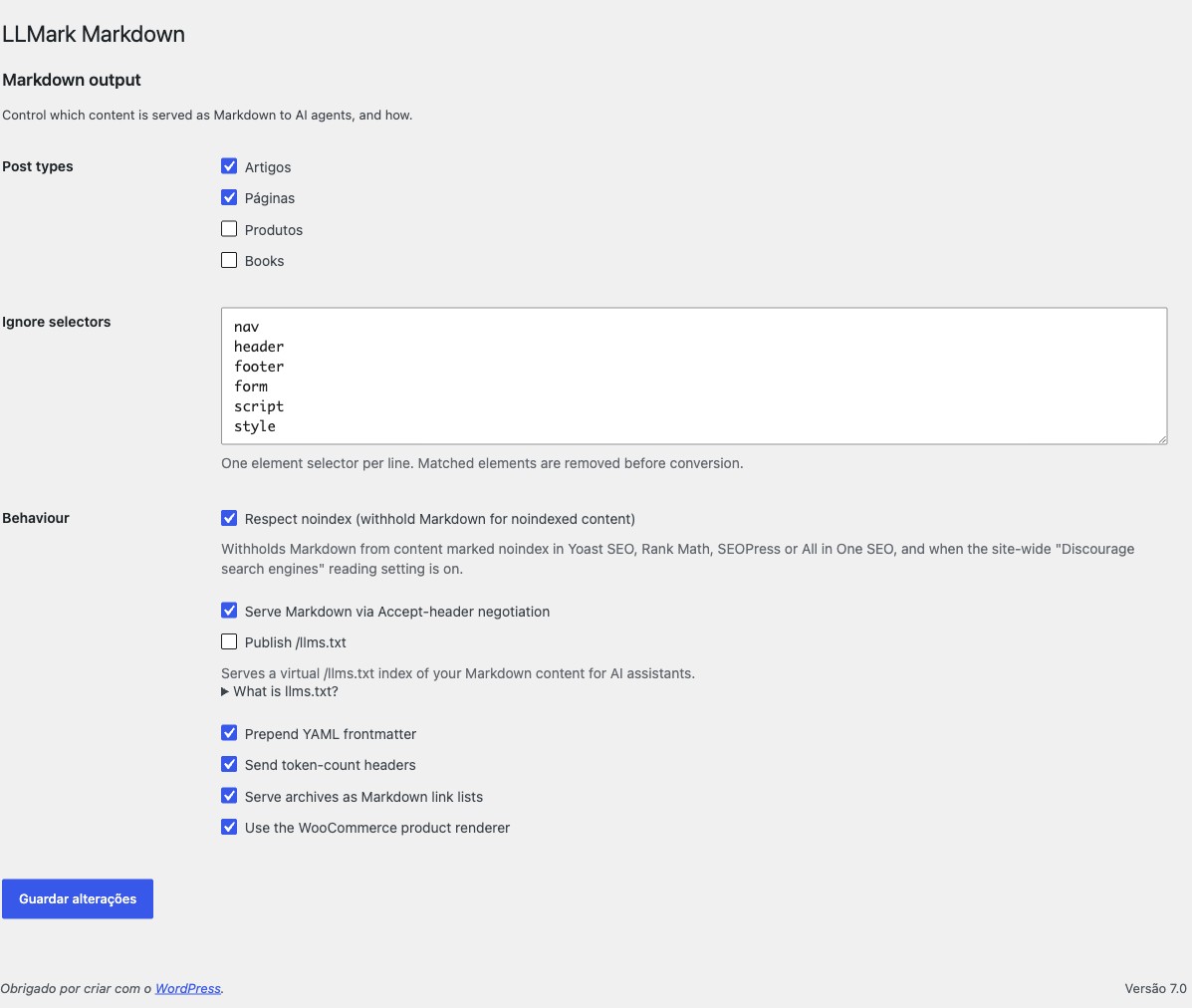
LLMark gives AI agents a clean Markdown version of your WordPress content, so assistants like ChatGPT, Claude and Perplexity (and crawlers like GPTBot and ClaudeBot) read what you mean instead of your cluttered HTML. Humans keep seeing your normal site, and there’s nothing to set up.
- Automatic. Install, activate, done. Markdown is generated on the fly when an agent asks; browsers always get your normal HTML.
- Works with page builders. Bricks, Elementor, Beaver Builder, Oxygen and the rest: LLMark converts the page your visitors actually see, not just the post content.
- WooCommerce-aware. Products come with the real price, stock, SKU and variations, read live from WooCommerce instead of scraped off the page.
- Private stays private. Nothing you’ve set to
noindex, private or password-protected is ever exposed to agents. - Easy to discover. An optional
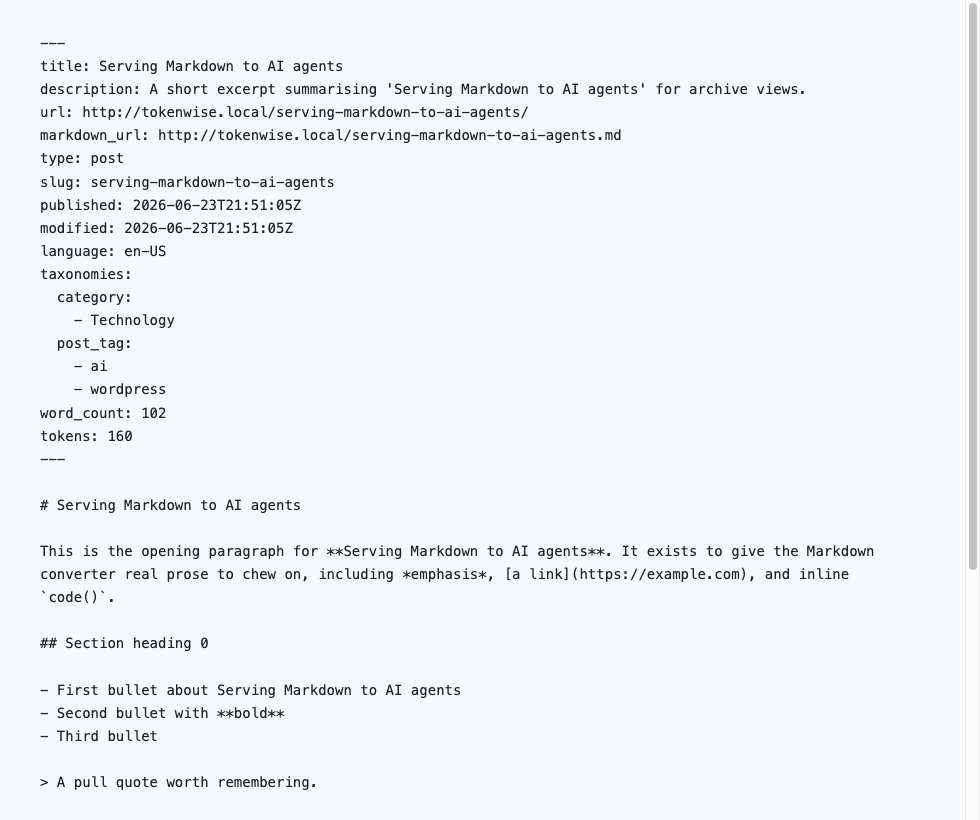
llms.txtindex and link hints point agents straight at your Markdown. - Solid under the hood. Markdown is produced by league/html-to-markdown, an open-source converter with over 30 million downloads, and comes with clean YAML frontmatter. No bloat, no phone-home, no lock-in.
Agents fetch the Markdown by adding .md to any URL, with ?output_format=md, or via an Accept: text/markdown header.
Questions about LLMark
Is LLMark free?
Yes. LLMark is free to download and use from the official WordPress.org directory. There is no payment and no account needed — the download on this page goes straight to WordPress.org.
What is the latest version of LLMark?
The latest version is 1.0.1, last updated on 20 Nov 2026.
How popular is LLMark?
It is active on 40 WordPress sites.
How do I install LLMark?
From your WordPress dashboard, go to Plugins → Add New, search for LLMark, then Install and Activate. You can also download the ZIP from WordPress.org and upload it under Plugins → Add New → Upload Plugin.
Where do I download LLMark?
Directly from WordPress.org. The Download button on this page goes straight to the official WordPress.org download, and GPLWPClub does not store the file.
Screenshots