pipDisqus – Lightweight Disqus Comments
Free WordPress plugin by pipdig
This plugin will remove any of the default WordPress comments features from your site, and replace this with Disqus. Please note: Disqus comments will not be automatically imported into your WordPres…
About pipDisqus
pipDisqus 1.7 is a free WordPress plugin by pipdig. It is rated 4.5 out of 5 from 6 ratings and is active on 200 WordPress sites. The latest version is 1.7, last updated on 26 Aug 2026. You can download it free from WordPress.org — no account or payment needed.
This plugin will remove any of the default WordPress comments features from your site, and replace this with Disqus.
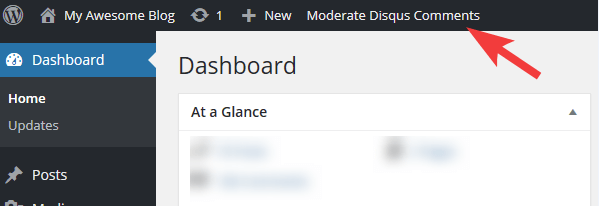
Please note: Disqus comments will not be automatically imported into your WordPress dashboard. Instead, you can continue to moderate your comments via your Disqus moderation page. This plugin will add a quick link to your Disqus moderation page in the WordPress Admin Bar.
Reasons to use this plugin:
- Simplify your WordPress dashboard by removing the “Comments” admin menu.
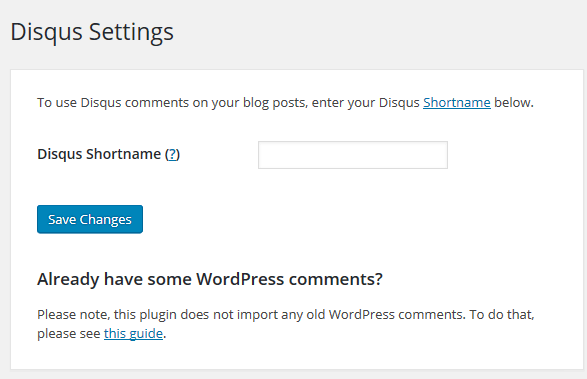
- Easy setup: simply add the Disqus shortname in the settings and you’re all set.
- Comments are NOT imported to WordPress – save server resources and database size.
- Improved spam protection to keep junk out your site’s database.
- It has a silly name.
This free plugin is brought to you by pipdig
Questions about pipDisqus
Is pipDisqus free?
Yes. pipDisqus is free to download and use from the official WordPress.org directory. There is no payment and no account needed — the download on this page goes straight to WordPress.org.
What is the latest version of pipDisqus?
The latest version is 1.7, last updated on 26 Aug 2026.
How popular is pipDisqus?
It is rated 4.5 out of 5 from 6 ratings and is active on 200 WordPress sites.
How do I install pipDisqus?
From your WordPress dashboard, go to Plugins → Add New, search for pipDisqus, then Install and Activate. You can also download the ZIP from WordPress.org and upload it under Plugins → Add New → Upload Plugin.
Where do I download pipDisqus?
Directly from WordPress.org. The Download button on this page goes straight to the official WordPress.org download, and GPLWPClub does not store the file.
Screenshots