ReadyGo Variation Spreadsheet – Bulk Edit Product Variations for WooCommerce
Free WordPress plugin by mkbplatinum
ReadyGo Variation Spreadsheet for WooCommerce gives you a fast, spreadsheet-style editor for product variations. Instead of expanding each variation one accordion row at a time, you edit them all in…
About ReadyGo Variation Spreadsheet
ReadyGo Variation Spreadsheet 0.3.0 is a free WordPress plugin by mkbplatinum. It is active on 70 WordPress sites. The latest version is 0.3.0, last updated on 25 Aug 2026. You can download it free from WordPress.org — no account or payment needed.
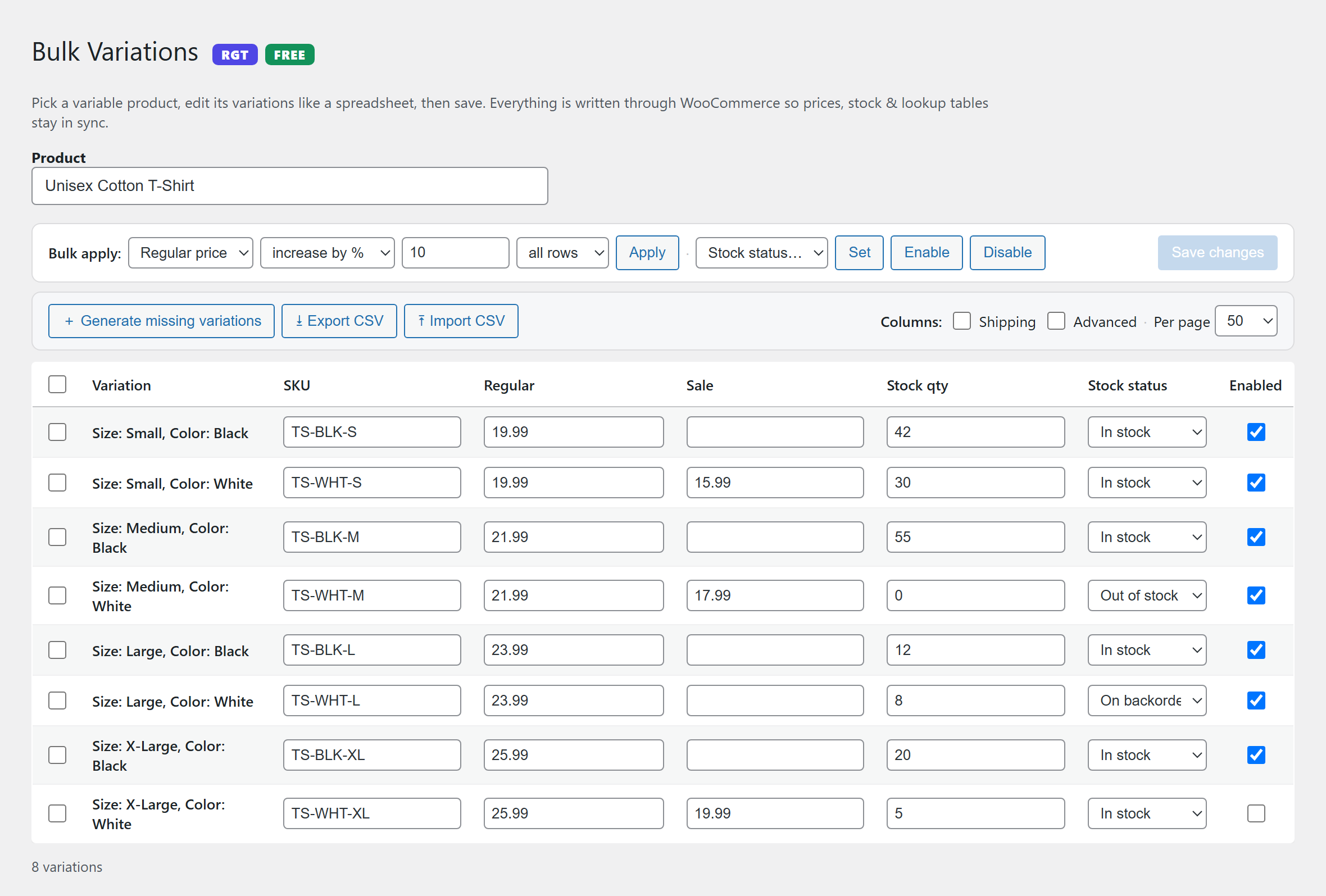
ReadyGo Variation Spreadsheet for WooCommerce gives you a fast, spreadsheet-style editor for product variations. Instead of expanding each variation one accordion row at a time, you edit them all in a single grid and save in one go, across hundreds of variations at once.
Every change is written through WooCommerce’s own data layer, so your prices, stock and product lookup tables stay correct and in sync. No raw database edits, ever.
Free, self-hosted, and no paid upgrade.
How to bulk edit product variations in WooCommerce
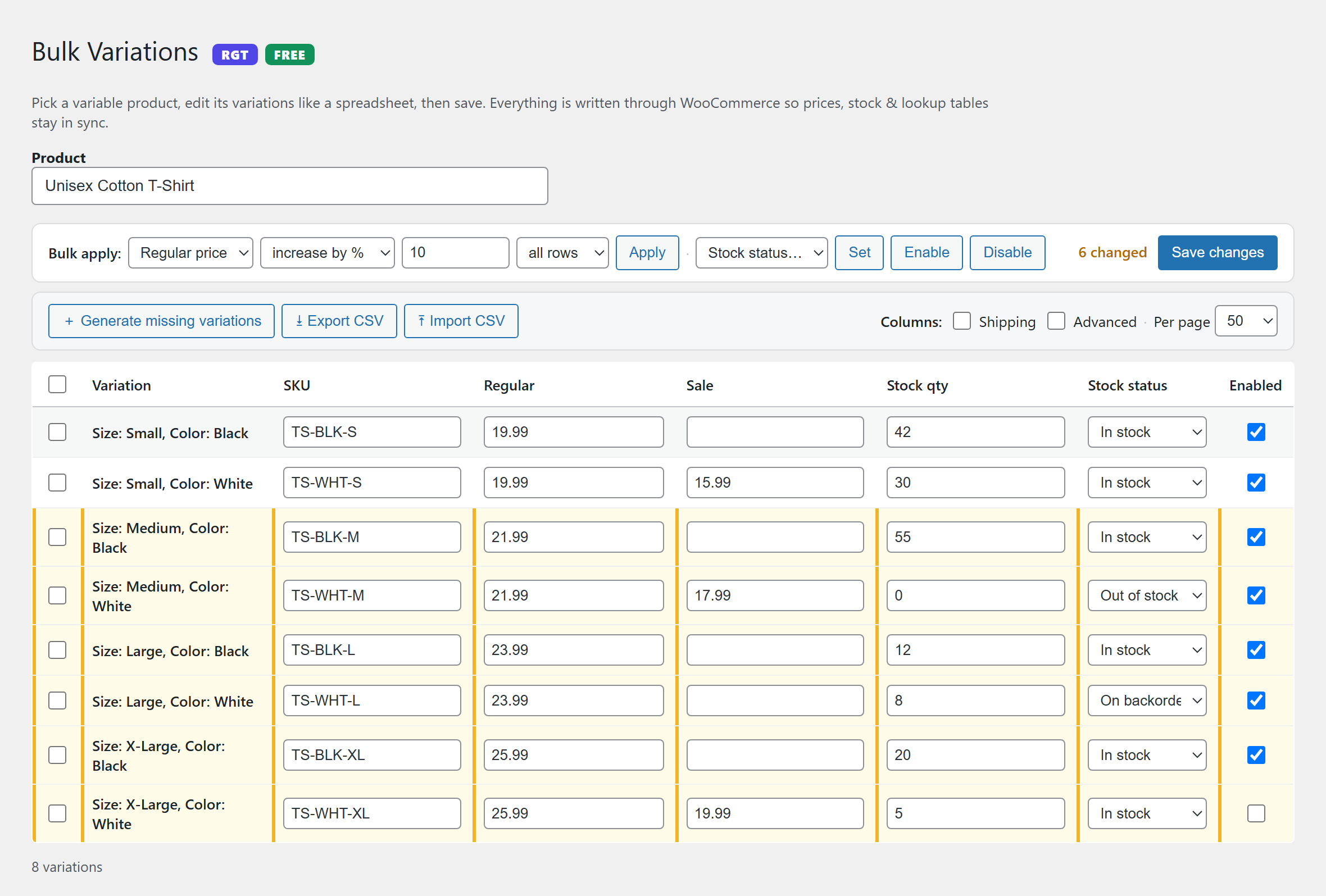
Open any variable product and switch to the spreadsheet view. Every variation is listed as a row, every editable field as a column. Change what you need, in as many rows as you need, and press save once. That is the whole workflow. If you sell in sizes, colours or styles and you have ever dreaded editing a fifty-variation product by hand, this is the tool that puts the whole product in front of you at once.
Bulk price changes across all variations
The Bulk apply tool sets, increases or decreases a field across every row or only the rows you select, by a fixed amount or by percentage. A site-wide twenty percent sale, a supplier price rise, a rounding correction across a whole catalogue of variations: all of them become one action instead of an afternoon.
Fields you can bulk edit
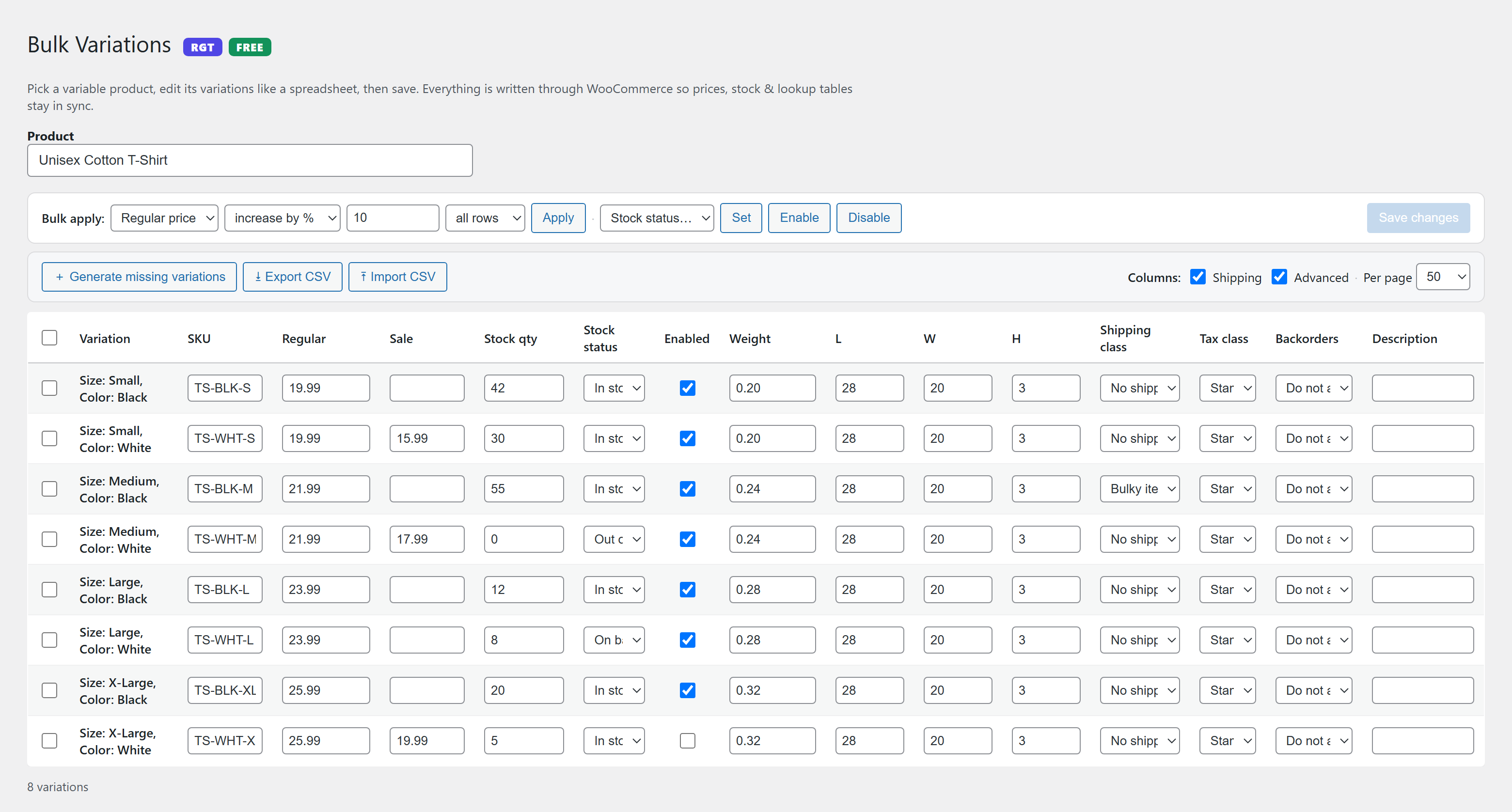
Price, sale price, stock quantity, stock status, SKU, weight, dimensions, shipping class, tax class, backorder setting and variation description. Enable and disable variations in bulk too, so you can publish or retire a whole run of sizes without opening a single one.
Features
- Spreadsheet editing. Every variation in one grid, every field in a column, one save.
- Bulk apply. Set, raise or lower any field across all rows or just your selection, including by percentage.
- Enable and disable in bulk. Publish or unpublish variations without opening each one.
- Generate missing variations. Create every attribute combination you have not built yet in a single click.
- CSV import and export. Pull variations out to a spreadsheet, edit in Excel or Google Sheets, and push the changes back in, matched safely by variation ID.
- Paginated grid. Handles products with hundreds of variations at 50, 100, 200 or all per page.
- Safe saves. Everything is written through WooCommerce’s CRUD and data layer, then the parent variable product is re-synced, so lookup tables and price ranges stay accurate.
- Completely free. No upsell, no locked features, no account required.
Why the built-in editor is slow
WooCommerce’s own variations panel was designed for products with a handful of variations. It loads them in pages of fifteen, hides every field behind an accordion, and makes you scroll and click for each individual change. That is workable at five variations and painful at fifty. A grid solves it by showing you everything at once and letting you edit the way you would in a spreadsheet, which is how most store owners think about their pricing anyway.
Built by ReadyGo Tools
Part of the ReadyGo Tools family of free WordPress plugins. Browse more at readygotools.com.
Questions about ReadyGo Variation Spreadsheet
Is ReadyGo Variation Spreadsheet free?
Yes. ReadyGo Variation Spreadsheet is free to download and use from the official WordPress.org directory. There is no payment and no account needed — the download on this page goes straight to WordPress.org.
What is the latest version of ReadyGo Variation Spreadsheet?
The latest version is 0.3.0, last updated on 25 Aug 2026.
How popular is ReadyGo Variation Spreadsheet?
It is active on 70 WordPress sites.
How do I install ReadyGo Variation Spreadsheet?
From your WordPress dashboard, go to Plugins → Add New, search for ReadyGo Variation Spreadsheet, then Install and Activate. You can also download the ZIP from WordPress.org and upload it under Plugins → Add New → Upload Plugin.
Where do I download ReadyGo Variation Spreadsheet?
Directly from WordPress.org. The Download button on this page goes straight to the official WordPress.org download, and GPLWPClub does not store the file.
Screenshots