Regenerate Thumbnails
Free WordPress plugin by Alex Mills
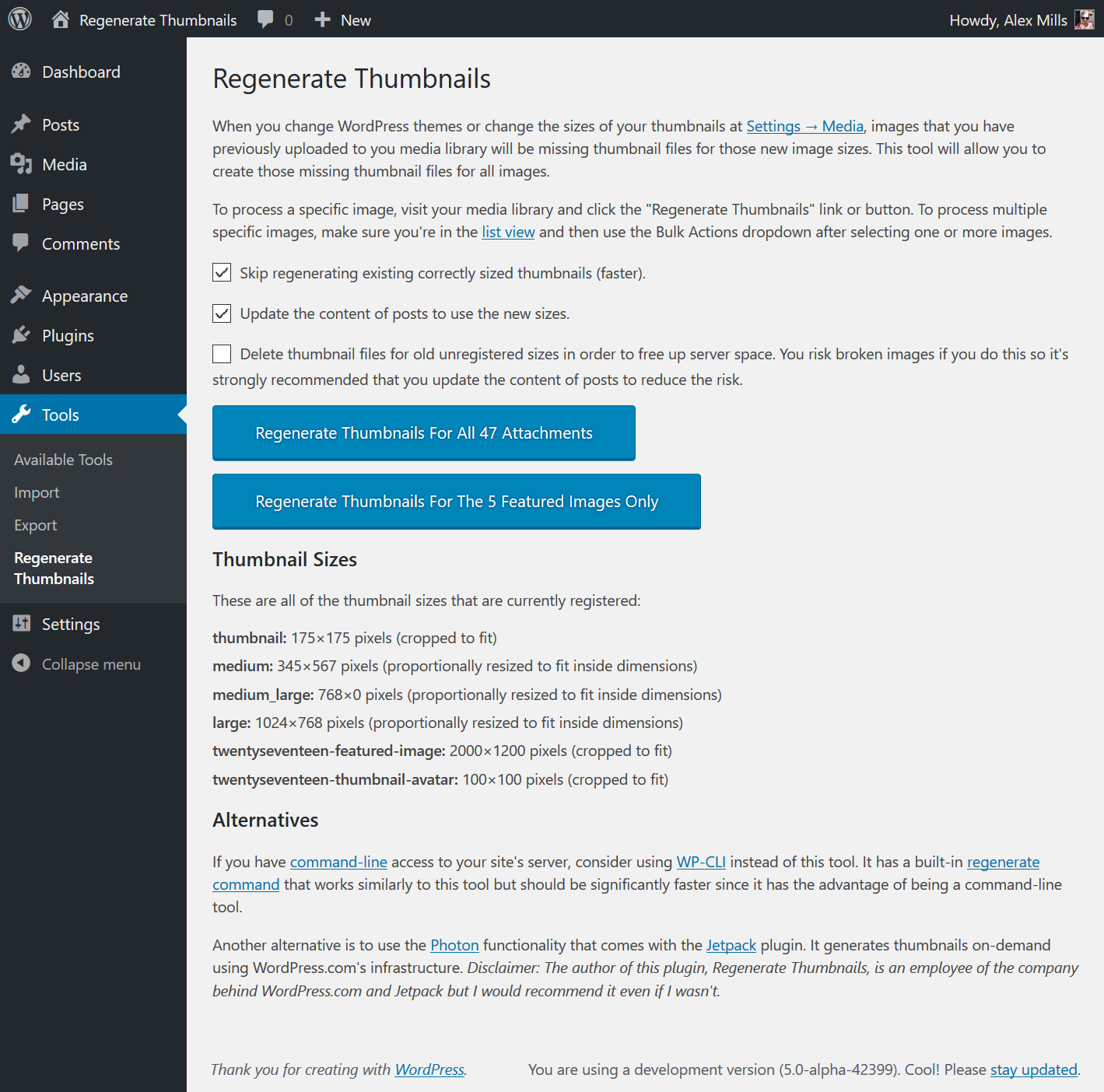
Regenerate Thumbnails allows you to regenerate all thumbnail sizes for one or more images that have been uploaded to your Media Library. This is useful for situations such as: A new thumbnail size ha…
About Regenerate Thumbnails
Regenerate Thumbnails 3.1.6 is a free WordPress plugin by Alex Mills. It is rated 4.6 out of 5 from 396 ratings and is active on 1M+ WordPress sites. The latest version is 3.1.6, last updated on 20 Aug 2025. You can download it free from WordPress.org — no account or payment needed.
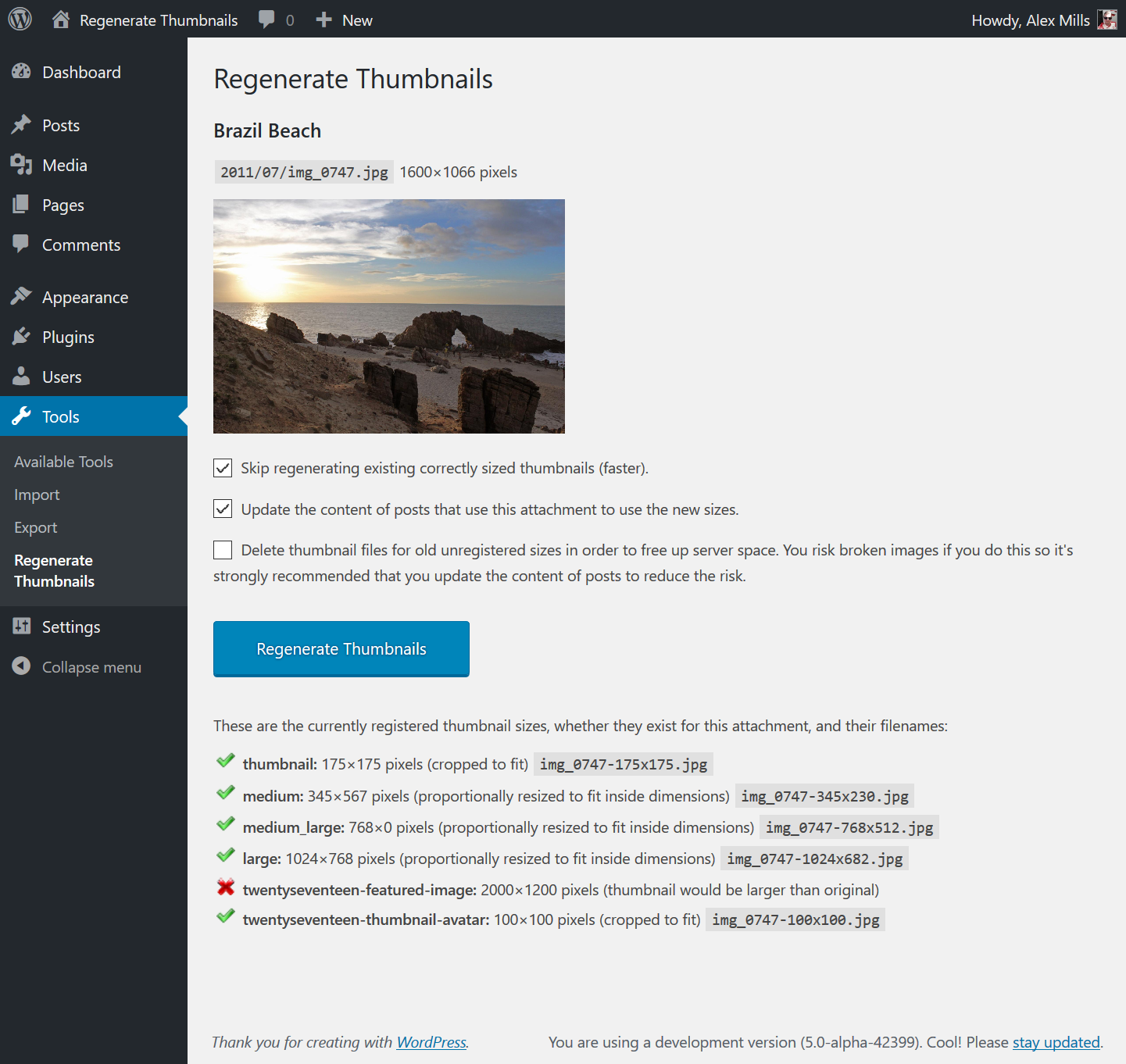
Regenerate Thumbnails allows you to regenerate all thumbnail sizes for one or more images that have been uploaded to your Media Library.
This is useful for situations such as:
- A new thumbnail size has been added and you want past uploads to have a thumbnail in that size.
- You’ve changed the dimensions of an existing thumbnail size, for example via Settings â Media.
- You’ve switched to a new WordPress theme that uses featured images of a different size.
It also offers the ability to delete old, unused thumbnails in order to free up server space.
In Memory of Alex Mills
In February 2019 Alex Mills, the author of this plugin, passed away. He leaves behind a number of plugins which will be maintained by Automattic and members of the WordPress community. If this plugin is useful to you please consider donating to the Oregon Health and Science University. You can find more information here.
Alternatives
WP-CLI
If you have command line access to your server, I highly recommend using WP-CLI instead of this plugin as it’s faster (no HTTP requests overhead) and can be run inside of a screen for those with many thumbnails. For details, see the documentation of its media regenerate command.
Jetpack’s Photon Module
Jetpack is a plugin by Automattic, makers of WordPress.com. It gives your self-hosted WordPress site some of the functionality that is available to WordPress.com-hosted sites.
The Photon module makes the images on your site be served from WordPress.com’s global content delivery network (CDN) which should speed up the loading of images. Importantly though it can create thumbnails on the fly which means you’ll never need to use this plugin.
I personally use Photon on my own website.
Disclaimer: I work for Automattic but I would recommend Photon even if I didn’t.
Need Help? Found A Bug? Want To Contribute Code?
Support for this plugin is provided via the WordPress.org forums.
The source code for this plugin is available on GitHub.
Questions about Regenerate Thumbnails
Is Regenerate Thumbnails free?
Yes. Regenerate Thumbnails is free to download and use from the official WordPress.org directory. There is no payment and no account needed — the download on this page goes straight to WordPress.org.
What is the latest version of Regenerate Thumbnails?
The latest version is 3.1.6, last updated on 20 Aug 2025.
How popular is Regenerate Thumbnails?
It is rated 4.6 out of 5 from 396 ratings and is active on 1M+ WordPress sites.
How do I install Regenerate Thumbnails?
From your WordPress dashboard, go to Plugins → Add New, search for Regenerate Thumbnails, then Install and Activate. You can also download the ZIP from WordPress.org and upload it under Plugins → Add New → Upload Plugin.
Where do I download Regenerate Thumbnails?
Directly from WordPress.org. The Download button on this page goes straight to the official WordPress.org download, and GPLWPClub does not store the file.
Screenshots