Siternet Persian Date Converter
Free WordPress plugin by Siternet
Siternet Persian Date Converter automatically converts all Gregorian dates to the Persian (Jalali / Shamsi) calendar throughout your WordPress site and admin panel. Features Converts all dates site-w…
About Siternet Persian Date Converter
Siternet Persian Date Converter 1.0.0 is a free WordPress plugin by Siternet. It is active on 0 WordPress sites. The latest version is 1.0.0, last updated on 23 Aug 2026. You can download it free from WordPress.org — no account or payment needed.
Siternet Persian Date Converter automatically converts all Gregorian dates to the Persian (Jalali / Shamsi) calendar throughout your WordPress site and admin panel.
Features
- Converts all dates site-wide to the Persian (Jalali) calendar
- Supports Persian (Farsi) digits
- Works in both the frontend and the WordPress admin panel
- Compatible with PHP 7.4, 8.0, 8.1, 8.2, 8.3, and 8.4
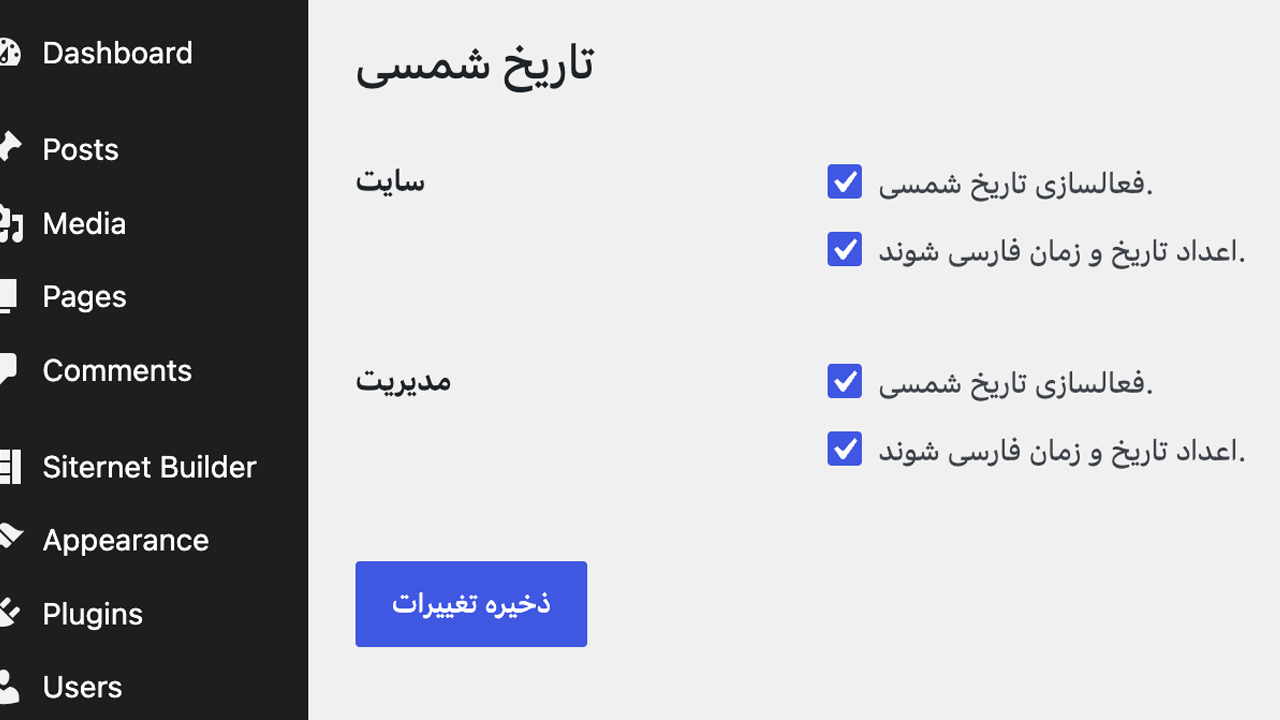
- Includes a lightweight settings screen for enabling the converter and Persian digits in the site and admin
- Bilingual: displays plugin name and description in Persian when the site language is set to Farsi
Persian Description
This section is provided for Persian-speaking users. The plugin converts all WordPress dates to the Jalali (Shamsi) calendar automatically, supports Persian digits, and works in both the frontend and admin panel.
Questions about Siternet Persian Date Converter
Is Siternet Persian Date Converter free?
Yes. Siternet Persian Date Converter is free to download and use from the official WordPress.org directory. There is no payment and no account needed — the download on this page goes straight to WordPress.org.
What is the latest version of Siternet Persian Date Converter?
The latest version is 1.0.0, last updated on 23 Aug 2026.
How popular is Siternet Persian Date Converter?
It is active on 0 WordPress sites.
How do I install Siternet Persian Date Converter?
From your WordPress dashboard, go to Plugins → Add New, search for Siternet Persian Date Converter, then Install and Activate. You can also download the ZIP from WordPress.org and upload it under Plugins → Add New → Upload Plugin.
Where do I download Siternet Persian Date Converter?
Directly from WordPress.org. The Download button on this page goes straight to the official WordPress.org download, and GPLWPClub does not store the file.
Screenshots